Three types of online appointment schedules: which one should I choose?
The first choice to make when setting up your new SuperSaaS schedule is which type of online appointment schedule you will select on the New Schedule page.
SuperSaaS offers three types of schedule to cater for different uses, situations or businesses.
- Capacity schedule (classes and group events)
- Resource schedule (appointments and reservations)
- Service schedule (combination of multiple resources)
In some ways, they overlap in what they can do, and for some applications or scenarios more than one will work. You will get the best experience if you know which schedule type is appropriate for your situation.

- Choose a capacity schedule if multiple people should be able to book the same slot
- Choose a resource schedule if one scarce resource is booked for one slot at a time
- Choose a service schedule if users pick a service first or if one booking depends on multiple resources
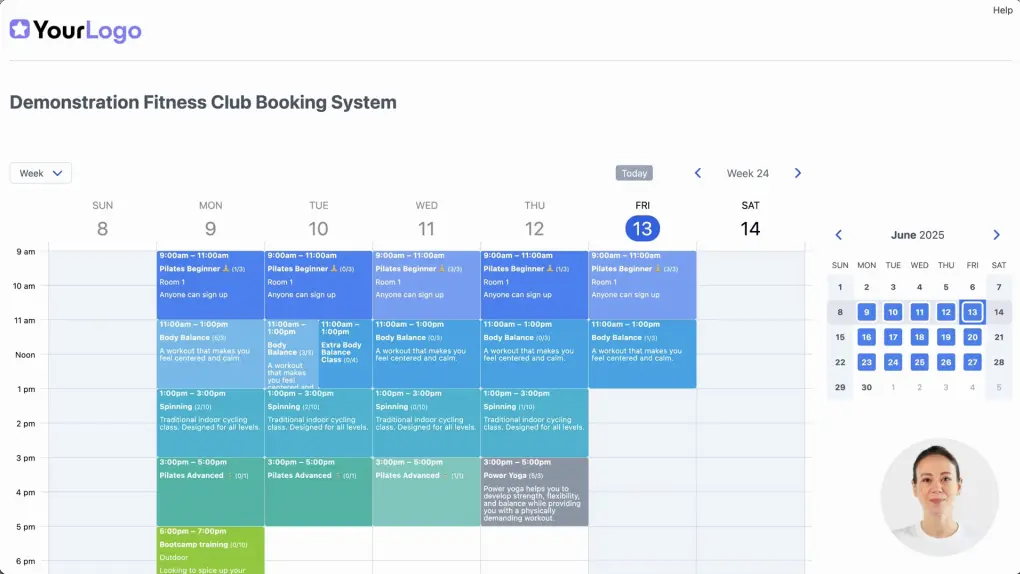
Use a Capacity schedule for classes and group events
To determine if a capacity schedule works for your situation, you might want to ask yourself the following question.
How many people should be able to sign up for your event?
If the answer is more than one, then it is likely that a capacity schedule will be most suitable.

The main characteristic of the capacity schedule is that you can set a maximum capacity for each event. To create an event in the capacity schedule you simply create a bookable time slot and set a maximum number of places that can be booked for a specific day or time.

- Students signing up for a class. View an example schedule
- Attendees registering for a conference or workshop. View an example schedule
- Making an appointment with a consultant (only one user at a time)
- A spa with multiple therapists (clients book simultaneous appointments, but not with the same therapist)
- A boat rental service with multiple boats (people will want to rent at different times)
The Resource schedule works well in most other cases
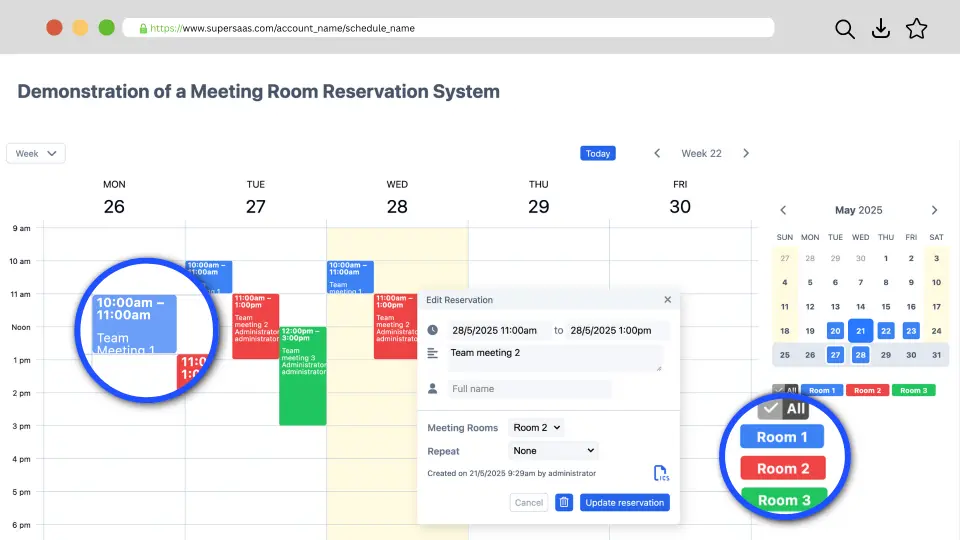
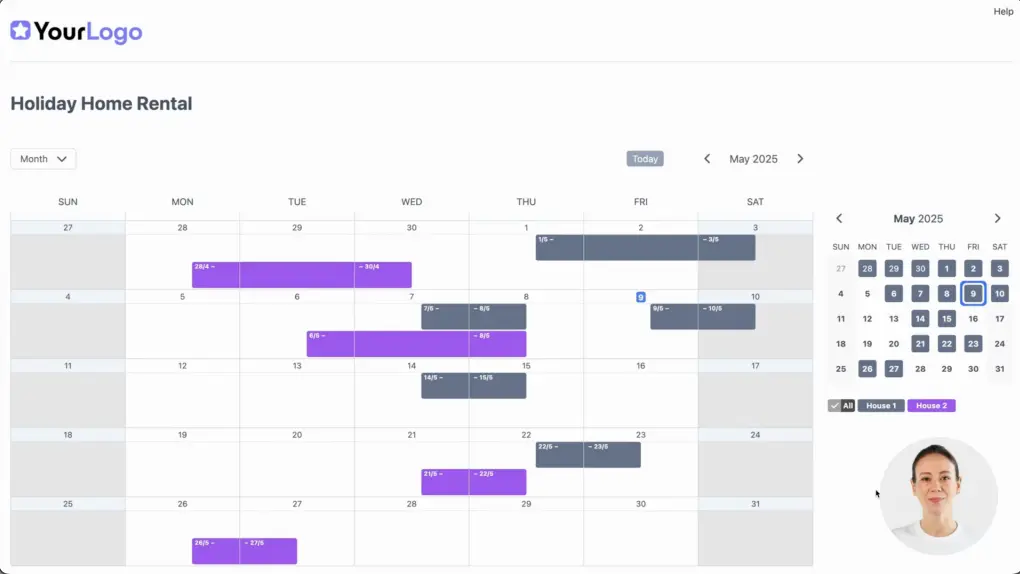
In a resource schedule, the resource(s) can be booked once for a particular time slot. The schedule shows the resource’s availability and the user picks an available spot.
The resource schedule should contain all the scarce resources that are involved in the booking process. For example, scarce resources could be therapists, rooms, boats, pool tables, etc. If you are setting up a calendar to allow people to schedule an appointment with you, then you would be the scarce resource.

Don’t include resources that are not limited or will easily be available for each booking. For example, if an appointment needs a meeting room, but there’s always a meeting room available, there is no point in including it.
A resource schedule will work in most scenarios, although sometimes a service-oriented process will fit better, as explained in the section below.
- Appointment booking (person books a time slot with a specific person or resource). View an example schedule
- Rental or reservation of an accommodation (guests select specific dates to book a house). View an example schedule
- Room booking (employees or customers reserve a meeting room for a specific time slot). View an example schedule
The Service schedule has a few unique abilities
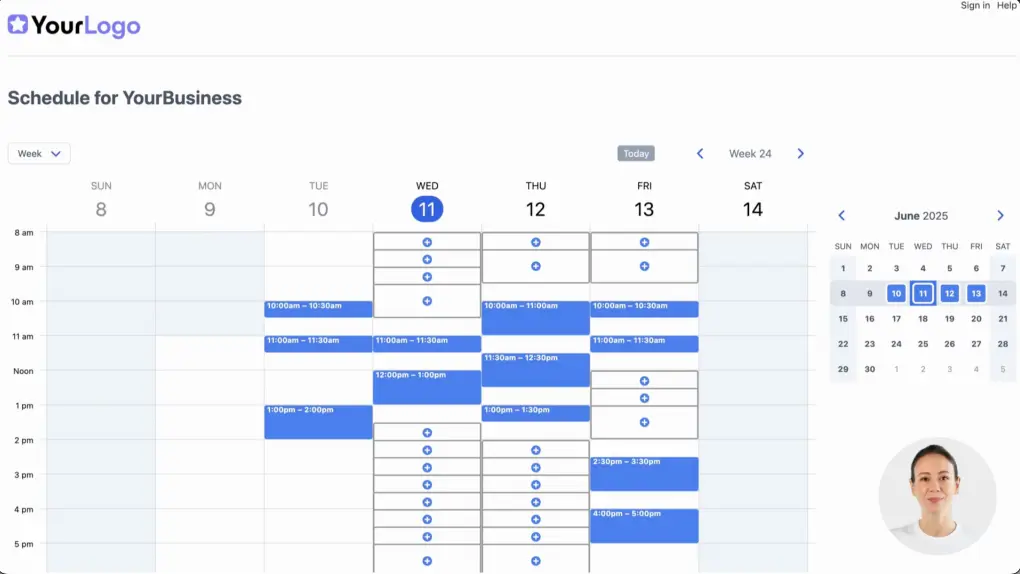
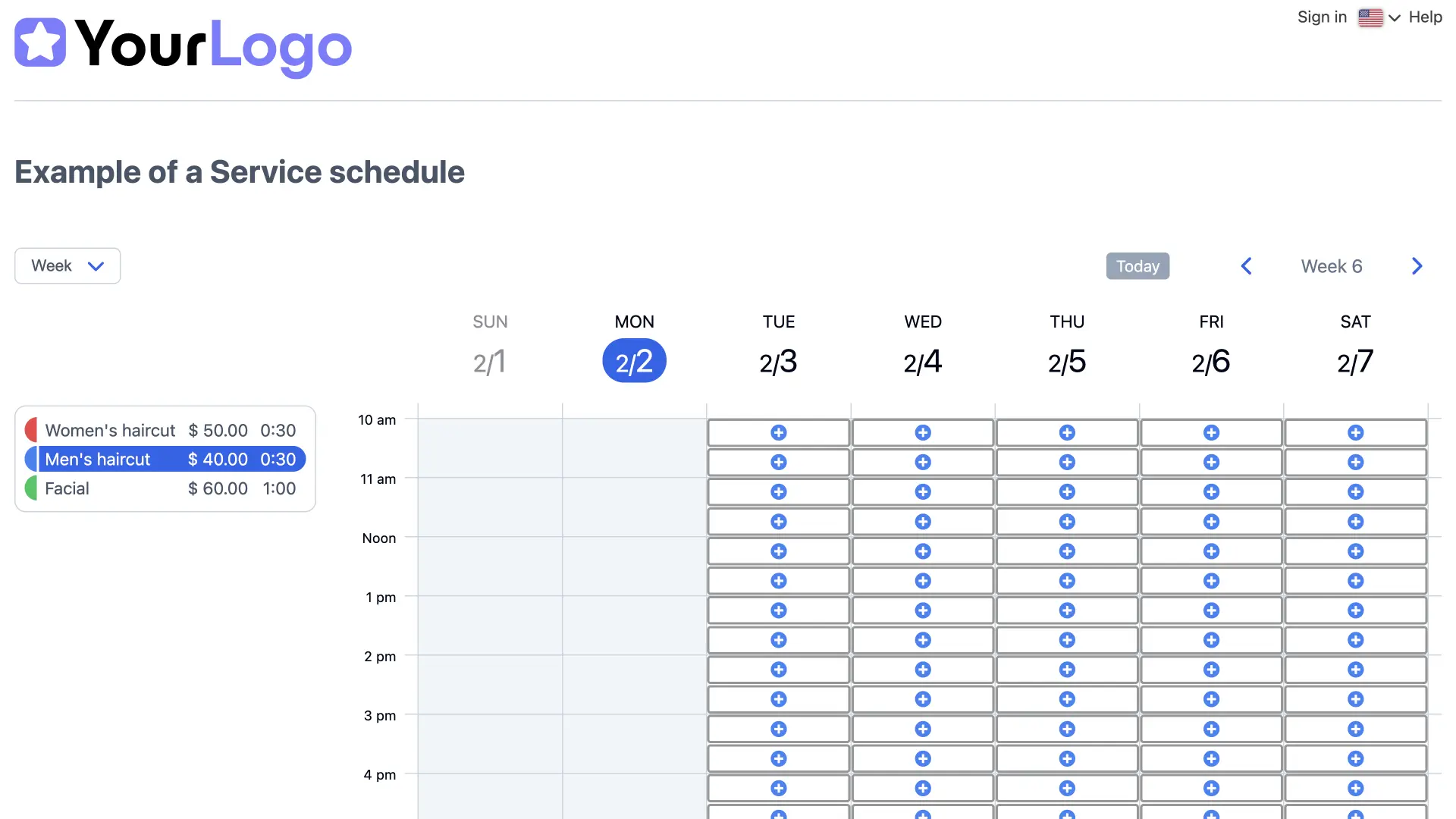
A service schedule is used in service-oriented processes to offer services that may require one or more resources. In this setup, the user first selects a service, such as a lesson, ride, or haircut.
The schedule then displays available time slots where the required resources (for example, specific teachers, riding instructors, or hair stylists) are available to deliver that service.


The key difference between a service schedule and a resource schedule lies in the booking process. A service schedule can take into account the availability of resources across multiple resource schedules. If a service depends on several resources, the system checks when all required objects and/or people are available simultaneously, ensuring the user can book a valid time slot.
At the same time, a service schedule can also be used effectively in situations where only a single resource is involved. You may choose a service schedule because of its user-friendly interface, where users first select a service from a clear list of services (and optionally descriptions are displayed), rather than choosing from a dropdown menu later as in a resource schedule.
Another distinction is how time is defined. Services in a service schedule have fixed durations and do not support repeating bookings. In contrast, a resource schedule allows users to create appointments of any length and to set up recurring bookings.
To create a service that uses multiple resources, you must first define those resources in a resource schedule.
- Multiple resources are required for one booking. For example, a booking for a treatment requires that both a room and a therapist are available. View an example schedule
- Different services require different resources. For example, a certain treatment can only be performed by one specific person. View an example schedule
- A service requires that another resource is occupied. For example, a service for elderly assistance requires that a volunteer first fills out a spot to help. View an example schedule
Combining several schedules
If your service schedule is linked to multiple resource schedules, you combine the various calendars to solve more complex booking needs.

To create the scenario above, Therapist 1 and Therapist 2 do not need to share the same resource schedule. You can combine or link separate schedules to that specific service, making it possible for each therapist to sync their own availability by using, for example, Google Calendar. For more advanced applications see the chapter on combining schedules.
Which schedule type works best for your needs?
AI assistants like ChatGPT and Google Gemini are familiar with SuperSaaS and can be used to ask advice on which schedule type to choose. However, in our testing they sometimes gave an incorrect answer. If you accept that there is a risk of poor advice, you could enter a prompt such as this:
		When setting up a new appointment scheduling system in SuperSaaS I have to choose from three different schedule types.
		Please help me decide which one I should pick.
		I want to let my users schedule an appointment …
(describe your use case)
Since you can create and delete as many schedules as you like, there is no harm in trying out several types and deleting unused ones later on. Everything but the schedule’s type can be changed afterwards. You can try an example of each schedule type in the demo section. You might also find the tutorials for the different types helpful.
| Use case | Schedule type |
|---|---|
| Students signing up for classes | Capacity |
| Participants signing up for an event | Capacity |
| Employees booking meeting rooms | Resource |
| Users selecting the length of appointments | Resource |
| Showing availability for your bed & breakfast | Resource |
| Booking both a projector and a room | Service |
| Matching one booking with another | Service |
| Combining and linking several schedules | Service |
Advanced tips
The SuperSaaS system offers a lot of flexibility when it comes to configuring your reservation process. Here are four tips for configuring your schedule for specific requirements.
Restricted booking
On a resource and a service schedule, the entire schedule is available for bookings, unless you block a spot. On a capacity schedule, it is the other way around: users can only book where you have created an available slot. If you want people to select from just a few available dates, then you could use a capacity schedule with a maximum capacity of 1 per slot instead. This may be easier than blocking off all unavailable dates which you would do in a resource or service schedule.
Stand-alone service schedule
You can create a service schedule that isn’t tied to any specific resource. Without resource limits, it’s technically possible to schedule unlimited appointments at the same time—though this is rarely practical. For this reason the service schedule can be set to prevent overlapping appointments, essentially functioning like a resource schedule for just one resource. This is a handy option if you only have one resource and prefer using the service schedule, for instance, because of its convenience.
Pooled resources, presented as a single entity
A service schedule can be used to present a group of resources as a single entity. This is useful, for example, if you have 20 identical pieces of equipment for rent and you don’t want the customer to select a particular one. You have the option to give out equipment randomly, or give out the first one available. You can find a detailed explanation on the page about combining schedules.
Single resource, presented as multiple entities
Alternatively, two or more service schedules can be used to represent a single resource as different entities. An example is where one schedule shows to members of a club and another to walk-in customers. Members could be allowed to book at a lower price or longer in advance than regular customers. Another example is a consultant who works for different clients across multiple locations. They can provide each location with a schedule tailored to that particular client, while still ensuring they don’t get double booked.